
Pick paper if you want zero setup and a backup that never crashes. Pick an app if you want automatic totals, running percentages, and a box score you can text to parents before the parking lot clears. Either way, the first three moves are the same, and they matter more than which method you choose.
- Pre-fill the roster with full names and jersey numbers before tipoff
- Assign one primary scorer and one backup, even if the backup just watches for gaps
- Pick your shorthand (points, rebounds, assists, steals, blocks, turnovers, fouls) and start the running score at 0-0
Whichever system you use, stop at the end of every quarter and check your running total against the scoreboard.
Key Takeaways
Accurate basketball statkeeping comes down to three habits: prepare the roster before tipoff, use consistent shorthand during play, and verify every total against the scoreboard before you call it final.
| Point | Details |
|---|---|
| Choose your method early | Paper needs zero setup and never loses power; apps auto-calculate totals and export instantly. |
| Pre-fill the roster | Enter names, numbers, and DNP status before tipoff to avoid guessing mid-game. |
| Track the core seven | Points, rebounds, assists, steals, blocks, turnovers, and fouls cover what most coaches actually need. |
| Check totals at every break | Compare your running score to the scoreboard at each quarter to catch errors early. |
| Athlo covers the digital side | Live scores, lineups, stats, and rosters in one app for coaches and parents who want a modern setup. |
Where to Find Official Scorebook Rules and Printable Sheets
- The Official NCAA Basketball Scorebook covers official formats for field goals, free throws, fouls, and running scores.
- Free printable stat-sheet templates offer ready-to-use forms covering all seven core categories.
Table of Contents
- How Do You Set Up for Basketball Stats Tracking Before Tipoff?
- What Core Stats Should You Track During a Basketball Game?
- What Symbols and Shorthand Work Best for Live Basketball Stats?
- How Do You Fill Out a Paper Basketball Scorebook?
- Should You Use an App to Track Basketball Stats?
- How Do You Verify and Report Basketball Stats After the Game?
- How Does Athlo Fit Into a Basketball Statkeeping Routine?
- What Are the Best Error-Checking Techniques for Live Stats?
- How Should You Customize Stats Tracking for Your Team?
- What Advanced Basketball Stats Are Worth Tracking?
- How Do You Organize and Store Basketball Stat Sheets?
- Download Athlo for Live Scores and Team Stats
- Sources
- FAQ
How Do You Set Up for Basketball Stats Tracking Before Tipoff?
Good statkeeping starts in the parking lot, not at the tip. Show up 15 to 20 minutes early and you'll never have to guess a jersey number mid game.
- Write out the roster first. Pre-fill player names, numbers, and leave a spot to mark "DNP" (did not play) next to anyone who sits the whole game.
- Pack backups for your backups. Bring two pens or pencils, a spare printed stat sheet, and a charger if you're running a phone or tablet.
- Claim your seat early. Sit where you can see both baskets and the scorer's table clock. Confirm with the other bench which team you're tracking. Nothing wastes a quarter faster than realizing you've been charting the wrong squad.
- Assign roles out loud. Name a primary scorer and a backup before warmups end. Decide together whether you're tracking minutes played. It adds work, but it's the only way to answer "how much did my kid play?" without a guess.
Pro Tip: Tape the roster sheet to a clipboard with the pen attached by a string. Sounds excessive until the one game you forget a pen becomes the one game you needed it most.
What Core Stats Should You Track During a Basketball Game?
Track more than that as a beginner and you'll miss half the plays trying to keep up.
- Points (2-pointers, 3-pointers, free throws): the scoreboard number everyone already knows, but broken down it shows where a player actually scores from
- Rebounds (offensive and defensive): offensive boards show hustle and second-chance opportunities; defensive boards show whether a team ends possessions
- Assists: passes that lead directly to a made basket, the clearest signal of unselfish play
- Steals: forced turnovers that show defensive activity and anticipation
- Blocks: shots altered or stopped at the rim, a rough proxy for interior defense
- Turnovers: any lost possession, the stat coaches watch closest because it directly costs points
- Personal fouls: tracked per player to flag foul trouble before it becomes a bench decision
Once your primary scorer can handle those seven without falling behind, add optional layers: minutes played, made-versus-attempted shots (FGM/FGA and FTM/FTA), and plus-minus. A core-first approach is what most experienced volunteer scorers recommend, because a stat sheet that's 80% accurate on seven categories beats one that's 50% accurate on fifteen.
What Symbols and Shorthand Work Best for Live Basketball Stats?
Speed is the whole game here. You've got maybe two seconds between the whistle and the next inbound pass to mark what just happened, so your shorthand needs to be automatic, not something you think through.
- Standardize your marks before the game starts. Common conventions: "1," "2," "3" for made shots by point value, "1M," "2M," "3M" for misses, "R" for rebound, "A" for assist, "S" for steal, "B" for block, "TO" for turnover, "F" for foul. The NCAA scorebook uses a similar slash-and-symbol system for made baskets and turnovers, and borrowing that convention means your sheet reads the same way an official's would.
- Split the workload by role, not by guesswork. Two common setups: one scorer per player (great for a small roster or a single star you're tracking closely) or one stat-focused per category, where one person handles shots and another handles rebounds, assists, and turnovers. Coaching sources point to role-splitting as one of the more effective ways to cut down on missed plays during fast breaks.
- Use dead balls to catch up. Every quarter break, timeout, and free throw is a built-in checkpoint. Glance at your running total against the scoreboard right then, not five minutes later when you've forgotten what you were checking.
- Note substitutions with a quick timestamp. A simple "in 4:32 / out 1:15" next to a player's name is enough to reconstruct minutes played after the game without slowing down live recording.
Pro Tip: If you're tracking alone, sacrifice one lower-priority stat (fouls or blocks) rather than falling behind on points and rebounds. A stat sheet missing block totals is usable. One with wrong point totals is not.
How Do You Fill Out a Paper Basketball Scorebook?
A bound or printable scorebook is still one of the most dependable ways to track a game, and it never runs out of battery. Enter rosters by jersey number rather than alphabetically. It matches how officials call out fouls and free throws, so you're not scanning the whole page every time a number gets shouted.
- Mark each shot attempt in the player's row as it happens: a slash for a make, a circle or dot for a miss, tallied separately for 2s, 3s, and free throws
- Add up each player's row at the end of every quarter, then add rows together for team totals; this catches transcription errors early instead of at the final buzzer
- Record fouls and timeouts in the designated columns as they're called, not from memory afterward
- Mark "DNP" clearly for any player who never checks in, so nobody assumes you missed recording their stats
Finish with a short checklist: tally every column, compute shooting percentages, and have the coach sign or initial the sheet. A pencil-and-paper scorebook that gets re-typed into a spreadsheet after the game is still one of the most reliable workflows in youth basketball, precisely because paper doesn't crash mid-fourth-quarter.
Should You Use an App to Track Basketball Stats?
Apps earn their keep when they save you from doing math by hand. The right one auto-totals points, computes percentages, and lets you export a box score without retyping anything.
Look for these features before you commit to one for the season:
- Offline local save, since gym Wi-Fi is unreliable and you can't lose a quarter's worth of data to a dropped connection
- Shot and period presets that match your league's rules (quarter length, shot clock if used)
- Easy per-player attribution with undo, so a mis-tap doesn't require starting over
- Cloud export or share, so parents get a box score without you manually typing one out
Set up rosters and presets the night before, not in the parking lot. Position your device where parents in the stands can't jostle your arm mid-recording. During the game, use pause and undo freely rather than trying to mentally correct a mistake three plays later, and keep a paper backup sheet running alongside for the first few games until you trust the app fully. Digital scoring tools that include clock handling, foul auto-bonus tracking, and undo functions are built specifically for this kind of gym environment. Apps earn their real value at season's end, when automatic roll-ups turn twenty scattered games into one clean set of season averages.
How Do You Verify and Report Basketball Stats After the Game?
The final buzzer isn't the finish line. It's the start of the ten-minute window where you turn scribbles into a report someone can actually use.
- Convert every tally mark into a final number, then confirm your team's point total matches the scoreboard exactly. If it doesn't, recount before you do anything else.
- Compute shooting percentages: field goal percentage is FGM divided by FGA, and free throw percentage is FTM divided by FTA. The most common reconciliation error is a make counted without a matching attempt, so cross-check that every make has a corresponding attempt logged.
- Build a shareable version. Type the box score into a spreadsheet, format it as a clean summary, or export it directly from your app. Send it to the coach for a quick validation pass before it goes to parents.
- Archive one copy. Whether it's a folder of PDFs or a season spreadsheet tab, keeping every game in one place is what makes end-of-season averages possible instead of a painful reconstruction project in March.
How Does Athlo Fit Into a Basketball Statkeeping Routine?
If you want one place to handle scoring instead of juggling a clipboard and three group texts, Athlo covers the digital side of this whole process. The app supports live scores, lineups, and stats, plus event rosters and QR-ticketed entry for games, all built for youth and high-school sports.
- Pre-fill your roster in Athlo before tipoff, the same way you would on paper
- Run live scores and lineups during the game
- Share results with parents afterward using exported stats or a quick screenshot
- Keep a printed sheet running as backup, especially your first few games with any new tool
Athlo doesn't replace good habits. It just gives you a modern home for them. Check out Athloapp for the full feature rundown.
What Are the Best Error-Checking Techniques for Live Stats?
Mistakes creep in fastest during runs, when three baskets happen in twenty seconds and you're still writing down the first one. Build checkpoints into your routine instead of trying to be perfect in real time.
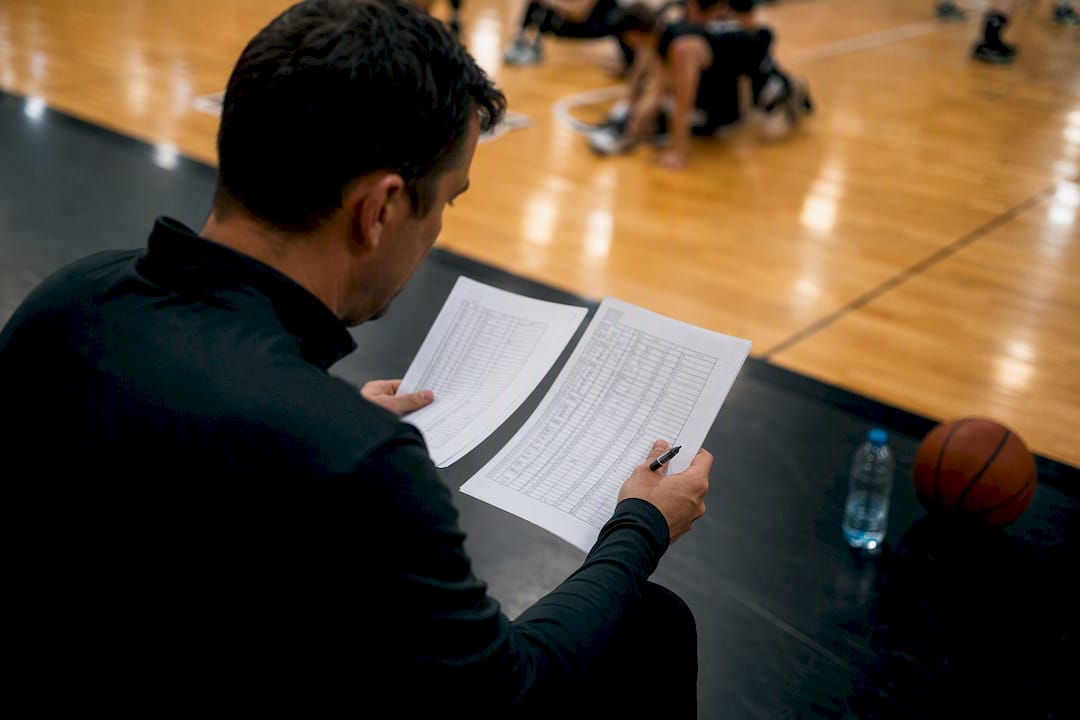
Compare your running score to the scoreboard at every dead ball, not just quarter breaks. A discrepancy of one or two points is easy to fix immediately and nearly impossible to trace an hour later. If you're using a stat-focused role split, have both scorers briefly compare notes at halftime. Two independent tallies that match are a strong signal your numbers are solid; if they don't match, you've caught the error while it's still fixable.
Watch for the classic traps: crediting a rebound to the wrong player after a scramble, marking a made shot as a miss because you looked away mid-play, or double-counting a foul when the ref's call gets overturned. When in doubt, mark the play with a question mark and move on rather than freezing the whole sheet to debate it. You can resolve a marked uncertainty at the next stoppage; you can't resolve a play you never recorded because you got stuck deciding.
Pro Tip: Keep a small "unresolved" column on the side of your sheet for anything you're not sure about. Clean it up at halftime instead of letting it derail your focus during play.
How Should You Customize Stats Tracking for Your Team?
Every coach uses stats differently, so your tracking setup should match how your staff actually makes decisions, not a generic template. If your coach cares most about who's earning minutes, prioritize substitution timestamps over shooting splits. If the focus is shot selection, log FGA by zone (paint versus perimeter) instead of just makes and misses.
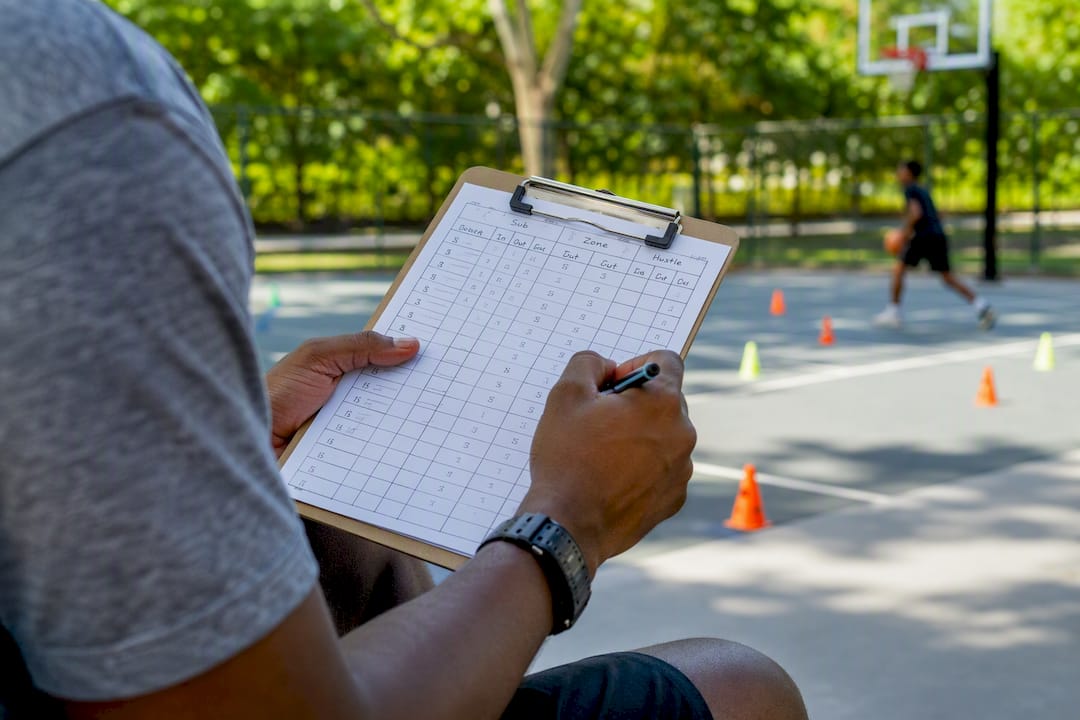
Some teams add a "hustle" column for deflections or loose balls recovered, categories that don't show up on a standard sheet but matter to a coach building a rotation around effort. Others skip fouls almost entirely for scrimmages and track them closely only for tournament games where foul trouble actually changes the game plan.
Talk to your coaching staff before the season about what they'll actually look at. A custom stat sheet built around three metrics the coach reviews every week beats a comprehensive one nobody opens after the first month. Adjust as the season goes. What matters in October (playing time, effort stats) often shifts toward efficiency numbers by tournament time in February.
What Advanced Basketball Stats Are Worth Tracking?
Once your team has the core seven down cold, a few advanced numbers add real insight without much extra recording effort. Plus-minus tracks the point differential while a specific player is on the court. It's simple to log if you're already tracking substitutions and it tells you more about lineup impact than raw scoring ever will.
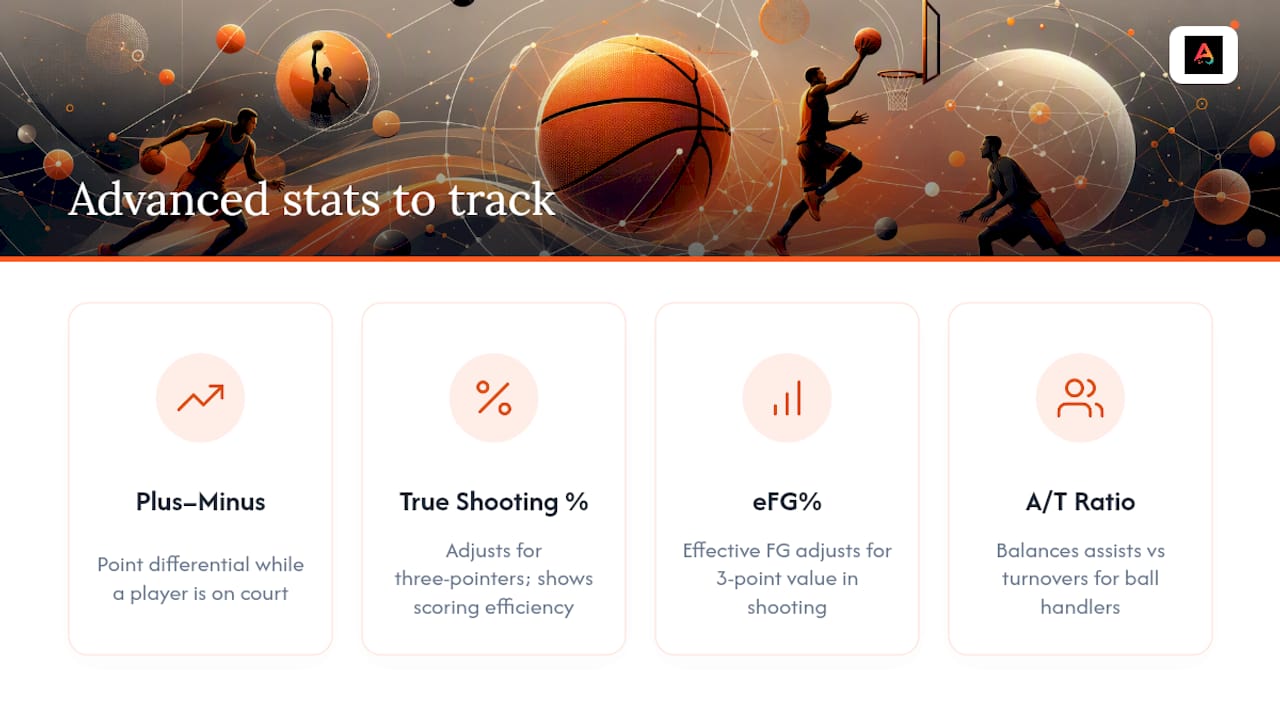
True shooting percentage and effective field goal percentage adjust for the extra value of three-pointers, giving a more honest picture of scoring efficiency than raw field goal percentage alone. Assist-to-turnover ratio is another useful one for evaluating point guards and ball handlers, since it balances playmaking against ball security in a single number.
These extras aren't necessary for a Tuesday night rec league game. They're for coaches who've already built a reliable core tracking habit and want a sharper lens on player development or lineup decisions. Add one at a time, confirm your scorer can handle it without slowing down the core seven, then move to the next.
How Do You Organize and Store Basketball Stat Sheets?
A single misplaced stat sheet from October means a hole in your season averages by March, so build a storage habit from game one. Digital is easier to search but paper survives a dead phone, so many coaches keep both.
Name every file or folder the same way: date, opponent, and game type (season underscore date underscore opponent works fine). Consistency here matters more than the exact format, because it's what lets you find "the game against Central in November" in ten seconds instead of ten minutes. Scan or photograph paper sheets the same night, while the game is fresh enough to catch a smudged number before it becomes a permanent gap.
Keep a running season spreadsheet where each game adds a row instead of living as a separate file. That single spreadsheet becomes your source for season averages, player development conversations, and end-of-year summaries for parents. Back it up somewhere outside your phone, whether that's cloud storage or a shared drive with your coaching staff, so one lost device doesn't wipe out three months of data.
A Coaching Note on Effort Versus Insight
Start with the core seven stats. Add one new metric a month, not five at once. Use the numbers to shape practice priorities, never to micromanage minutes.
— Abdulazeez
Download Athlo for Live Scores and Team Stats
Want the digital half of this workflow handled in one place instead of spreadsheets and group texts? Athlo gives youth and amateur coaches live scores, rosters, and in-app stats built specifically for the way local teams actually operate, without an agency fee or a season-long contract standing between you and using it tonight.
Set up your team's roster, run live scores during your next game, and share results with parents straight from your phone. Athlo is available on the App Store and Google Play, or you can start at Athloapp if you're checking it out from a desktop first.
Sources
- OFFICIAL NCAA BASKETBALL SCOREBOOK
- How to keep basketball stats — The Ball Zone
- How to Use a Basketball Scorebook | RecLeague.net Blog
- Basketball Stat Sheet (Free Printable Templates)
FAQ
Is There an App to Keep Basketball Stats?
Yes. Several apps handle live basketball statkeeping, including Athlo, which offers live scores, lineups, and rosters built for youth and amateur games.
What Are the 5 Main Stats in Basketball?
Points, rebounds, assists, steals, and blocks are the five most commonly cited core stats, though most coaches also track turnovers and fouls as essential additions.
How Do You Do Stats for Basketball?
Pre-fill a roster, assign a primary scorer and backup, use consistent shorthand for each stat category, and verify your running total against the scoreboard at every quarter break.
How Do You Keep Basketball Records for a Season?
Store each game's stats in a single running spreadsheet or app export, named consistently by date and opponent, so season averages and player development tracking stay easy to pull together.