

Here's the checklist to use tonight: one shared family calendar, color-coded by kid, with 15 to 30 minute buffers built around every practice and game. That single move fixes most of the chaos, because scheduling backward from your non-negotiables instead of forward from whatever the coach emails you, is what actually prevents the 6:47 p.m. driveway meltdown.
Do these four things before bed:
- Put one calendar (Google, Apple, or a sports app) in charge. No sticky notes, no group texts as the "real" schedule.
- Color-code by child and activity so a glance tells you whose game is whose.
- Add a 15 to 30 minute arrival buffer before every practice and game start time, since coaches expect warm-up time the printed schedule never mentions.
- Block one non-sports family night this week and defend it like it's on the calendar in ink, because it is.
For tournament weekends specifically, lock in a plan before Friday: who's driving, who's packing food, who's on cooler duty, and who's the backup driver if someone's car breaks down or work runs late.
Pro Tip: Enter this week's practice and game times into the shared calendar right now, set arrival reminders for 30 minutes before each start, and pick one weeknight to protect as sports-free. That's the whole system on day one.
Key Takeaways
A parent guide to youth sports schedules works when families centralize the calendar, build in arrival buffers, and treat sleep and family time as non-negotiable line items, not afterthoughts.
| Point | Details |
|---|---|
| One calendar, color-coded | Put every practice and game in a single shared calendar, color-coded by child and activity. |
| Build in arrival buffers | Add 15 to 30 minutes before every posted start time to cover warm-ups coaches expect but schedules don't list. |
| Plan tournament weekends in advance | Assign food, cooler, and driving roles before the weekend, not the morning of. |
| Protect sleep and one family night | Reassess commitments every six to eight weeks if bedtime or grades start slipping. |
| Use a sports-specific app for the heavy lifting | Athlo centralizes schedules, medical forms, and live updates in one parental view for families managing multiple sports. |
Table of Contents
- How Do You Build a Youth Sports Schedule System That Actually Holds Up?
- What's the Best Way to Plan a Tournament Weekend?
- How Do You Set Up a Carpool System That Doesn't Burn Out One Parent?
- How Do You Know When Sports Are Causing Family Burnout?
- What Should You Say to Coaches, Carpool Partners, and Your Kid?
- What Do Sample Weekly and Tournament Schedules Look Like?
- How Should Schedules Change as Kids Get Older?
- How Much Time and Money Should You Expect to Commit?
- What Does Research Say About Being a Good Sports Parent?
- What I Learned Juggling Two Kids' Sports Schedules
- How Athlo Keeps Your Family's Sports Calendar in One Place
- Where to Learn More About Youth Sports Parenting
- Sources
- FAQ
How Do You Build a Youth Sports Schedule System That Actually Holds Up?
A parent guide to youth sports schedules only works if the system survives week three, not just the first Monday you set it up. Most families don't fail at scheduling because they lack effort. They fail because they're managing five separate schedules in their heads instead of one calendar everyone can see.
Here's the setup, step by step:
- Pick one calendar and make it the law. Google Calendar, Apple Calendar, or a sports-specific app like Athlo's parental view all work. What matters is that every practice, game, and appointment lives in exactly one place. Two calendars means two versions of the truth, and that's how kids miss the bus to a tournament.
- Color-code by child first, activity second. If you've got a soccer player and a swimmer, give each kid a color. Then use a pattern or icon for game versus practice. You should be able to glance at Tuesday and know instantly whose day is packed.
- Set a default arrival buffer. Coaches typically want players on the field or court 15 to 30 minutes before the posted start time for warm-ups, and that arrival window rarely appears on the printed schedule. Build that buffer into every calendar entry so "5:00 practice" actually reads as "4:35 leave the house."
- Schedule backward from your non-negotiables. School start times, bedtime, and any recurring medical appointments go on the calendar first. Practices and games get slotted around them, not the other way around. This single reordering is what most overwhelmed families get backward.
Once the calendar exists, automate what you can. Set recurring events for weekly practices instead of re-entering them. Turn on shared alerts so a spouse, grandparent, or carpool partner sees changes in real time. If another caregiver sometimes handles pickups, a shared calendar with edit access beats a group text every time, because texts get buried and calendars don't.
Look for a few specific features when choosing your tool:
- Team sync, so schedule changes from the coach update automatically instead of requiring manual re-entry.
- Push alerts for cancellations, field changes, or rescheduled games.
- Two-way calendar sharing with a co-parent, grandparent, or regular carpool driver.
- A dedicated parental view, which matters more than it sounds. General calendar apps handle time blocks fine, but they don't understand sports context like roster status, medical form deadlines, or live game updates.
This is where a sports-first app has a real edge over a generic calendar. Athlo, for instance, gives parents a dedicated parental view that sits alongside live scores, medical forms and waivers, and event tickets with QR check-in, so the scheduling piece isn't disconnected from everything else you're tracking about your kid's season. You're not toggling between four apps to find a game time, check a waiver status, and see if practice got moved.
Pro Tip: Set your calendar's default event buffer to 30 minutes before you enter a single practice time. It takes ten seconds and saves you from manually adjusting every entry later.
The goal isn't a perfect system. It's a system that survives a rescheduled game, a sick kid, and a work meeting that runs long, all in the same week.
What's the Best Way to Plan a Tournament Weekend?
Tournament weekends break more families than regular-season chaos ever does, mostly because parents plan for the games and forget to plan for the 30 hours around them. A travel team parent handbook usually spells out arrival times and medical form requirements, but it won't tell you who's managing the cooler at 7 a.m. on day two. That part's on you.
Here's a timeline structure that adapts to most multi-game tournament formats:
- Night before: Pack bags, prep food, confirm the carpool roster, and check the weather.
- Arrival: Get there well before the first game, factoring in parking and check-in time on top of the standard warm-up buffer.
- Between games: Build in real rest blocks, not just snack time. Shade, water, and 20 minutes off their feet matter more than another warm-up round.
- Meal windows: Plan meals around game times, not the other way around. A heavy meal 45 minutes before kickoff is a rookie mistake that ends in a stomachache on the field.
- End of day: Protect the wind-down. A tournament day that ends at 9 p.m. with no downtime sets up a rough night two.
Pack for the day you'll actually have, not the day you hope for:
- Refillable water bottles for every kid, plus extra for siblings tagging along.
- Simple, easy-to-digest snacks: fruit, crackers, string cheese, not fast food between games.
- A basic first-aid kit with tape, ice packs, and blister supplies.
- Portable chargers, since a dead phone during a schedule change is its own emergency.
- Something for bored siblings: a ball, cards, a tablet with headphones.
- Sunscreen, a folding chair, and a blanket if you're outdoors for six hours.
Assign roles before you leave the driveway. One parent manages food and the cooler. Another tracks game times and field assignments. A third handles pickup logistics if siblings need to leave early. Trying to do all three yourself is how you miss the field change announcement.
Pro Tip: Split tournament duties in writing, even if it's just a group text the night before: "I've got snacks and cooler, you've got schedule updates and parking." Splitting the load isn't just about workload. Protecting even six extra hours of sleep across a weekend measurably changes how everyone, kids included, handles day two.
How Do You Set Up a Carpool System That Doesn't Burn Out One Parent?
Most carpool systems collapse because one parent ends up driving everything by default, and nobody ever formally divided the load. A rotating roster with clear rules fixes that before resentment sets in.
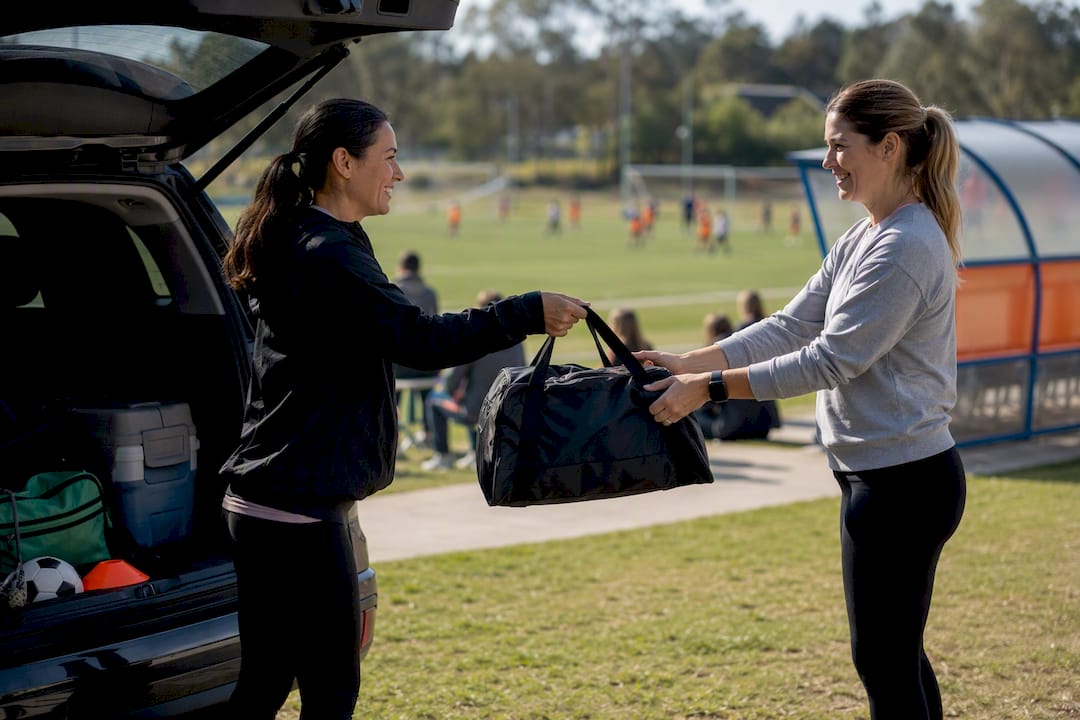
Start with a simple rotation. Rather than "whoever's free," assign specific days or weeks to specific families on a repeating cycle. Put it in writing, even if it's just a shared spreadsheet or a note in the group chat. Vague verbal agreements are where carpools fall apart.
Cover these basics when you set it up:
- Pickup timing: Agree on how many minutes late is acceptable before someone should call instead of wait.
- Driver responsibilities: Who confirms the day before, who texts when they're five minutes out.
- Emergency contact list: Every driver should have a way to reach every kid's parent directly, not just through the main organizer.
Before anyone gets behind the wheel with someone else's kid, run through a quick safety check:
- Confirm the driver has a valid license and current insurance.
- Make sure every kid has a seat belt, and a booster seat if age-appropriate.
- Keep a copy of medical forms or allergy info accessible in the car, not just on file with the coach.
- Exchange emergency contacts for every family in the rotation, not just the organizer.
Have a backup plan ready before you need it: a list of other team parents willing to do a last-minute pickup, a ride-hire option for older teens if your area allows it, and the team manager's number for when a practice location changes without warning.
If you're juggling more than one kid's schedule, prioritize by lock-in status first. A game with a fixed time beats a practice that could shift. When two events genuinely overlap, decide in advance which parent covers which kid, rather than negotiating it in the car at 4:45.
A one-line carpool agreement template works better than a long email: "We're rotating Tuesday and Thursday pickups. I'll text by 3 p.m. if plans change. Reach me at [number] for anything urgent."
How Do You Know When Sports Are Causing Family Burnout?
Burnout rarely announces itself. It shows up as a kid who used to love Saturday games now dragging their feet to the car, or a household where every dinner conversation is logistics instead of connection.
Watch for these signs in both your athlete and your family as a whole:
- Increased irritability or tears around practice and game times.
- Grades slipping, especially in subjects that require sustained focus.
- A noticeable drop in enthusiasm for a sport they used to ask to play.
- Siblings expressing resentment about always being dragged along.
- You, the parent, dreading the calendar instead of managing it.
Two rules of thumb protect against most of this. First, if practices regularly push bedtime past what's appropriate for your child's age, that's a signal to talk to the coach or scale back, not just push through. Second, guarantee one non-sports family night every week, no exceptions for "just this once." Consistency is what makes it protective.
Every six to eight weeks, run a short reassessment. Ask your kid directly: "Are you still excited about this? What part of the week feels like too much?" Then ask yourself the same questions about the family's overall load. This isn't about quitting at the first sign of tiredness. It's about catching a pattern before it becomes the new normal.
If sleep needs to come first, say so to the coach directly and early, not after the season's already strained. A short, respectful message works better than an apologetic one: "We need [child] home by 8 p.m. on school nights to protect sleep. Let us know if that affects playing time expectations." Most coaches respect a clear boundary stated once, far more than a pattern of unexplained late arrivals or no-shows.
Pro Tip: If you notice two or more burnout signs lasting longer than two weeks, treat that as your six-week check-in trigger early, don't wait for the calendar reminder.
What Should You Say to Coaches, Carpool Partners, and Your Kid?
Half of schedule stress isn't the schedule itself. It's the awkward, unclear conversations around it: the last-minute text you don't know how to phrase, the carpool ask you keep putting off.
A few templates make this easier:
Schedule conflict with a coach: "Hi Coach, [child] has a conflict with practice on [date] due to [reason]. They'll be there for the game on [date]. Let us know if there's anything to prepare for beforehand."
Late arrival heads-up: "Running about 10 minutes behind due to traffic, [child] will be there by [time]. Sorry for the short notice."
Availability check for an upcoming tournament: "Confirming [child] is available for the tournament on [dates]. Please let us know the schedule as soon as it's finalized so we can plan carpool and meals."
Set a family protocol so nobody's guessing who's handling what:
- Decide who updates the shared calendar when a change comes in, and commit to same-day updates.
- Decide who handles cancellation texts to the carpool group.
- Agree in advance how you'll tag-team a weekend when both parents can't be everywhere.
When talking to coaches, share what actually helps them coach your kid well: availability constraints, medical notes, and any travel limitations. Leave playing time, strategy, and in-game decisions to them. That line matters. Parents who blur it tend to strain the coach relationship in ways that outlast a single bad game.
A carpool request template that respects everyone's time: "Hey! Would you be open to trading pickup days this week? I can cover Thursday and Friday if you can take Tuesday. Let me know what works."
What Do Sample Weekly and Tournament Schedules Look Like?
Concrete templates beat abstract advice, so here are three you can adapt tonight.
Weekday rhythm template:
School dismissal, then a 30 to 45 minute buffer for snack and decompression, then practice with a 15 to 30 minute arrival cushion built in before the posted start time. After practice: dinner, homework, and a wind-down period before bed that doesn't involve screens. The exact times shift by age, but the order rarely should.
Single-day tournament plan:
| Time Block | Activity |
|---|---|
| Wake-up | Light breakfast, load the car with the packed bag |
| Arrival | 45 minutes before first game start |
| Between games | Rest, hydrate, light snack, shade if outdoors |
| Lunch window | Scheduled around game gaps, not fixed to noon |
| Final game | Post-game debrief kept light, save feedback for later |
| Evening | Early wind-down, protect bedtime even on tournament day |
Multi-kid stacked schedule:
When two kids have overlapping practices, set a priority rule ahead of time: whichever event has the harder start time (fixed game versus flexible practice) gets first claim on a parent's presence. Build a buffer between drop-offs if one parent is covering both, and confirm the carpool backup before the week starts, not the morning of.
Save a simple printable version to your phone for the car: calendar entry, arrival time, packed items, and driver assignment for the week ahead. It takes five minutes to build and saves you from reconstructing the week's plan from memory every Sunday night.
How Should Schedules Change as Kids Get Older?
A parent guide to youth sports schedules has to flex by age, because what works for a seven-year-old wreck a fourteen-year-old's growing independence, and vice versa.
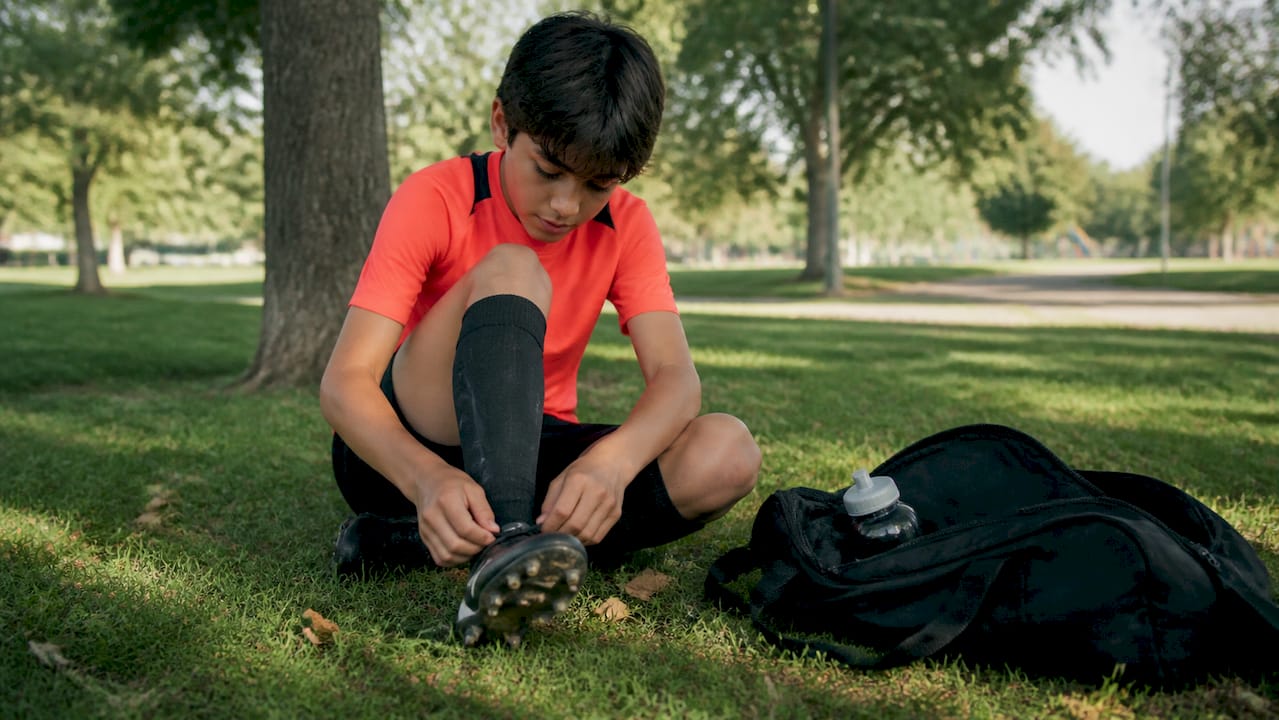
For ages 5 to 8, plan on being present for most of practice, not just drop-off. Arrival windows should be generous, closer to 20 minutes early, since younger kids often need help finding gear and settling in. Time on the field is usually shorter and more instructional than competitive, so don't over-schedule around it.
For ages 9 to 12, you can start handing over small pieces of the calendar. Let them check their own schedule and remind you of upcoming games. Sleep rules still need firm enforcement here. This age group is notorious for underestimating how tired back-to-back activities make them.
For teens, autonomy should expand significantly. Older athletes can often manage their own gear, track their own schedule in a shared app, and communicate directly with coaches about availability. Your role shifts toward logistics support and being a sounding board rather than a schedule manager. Coaches and writers who work closely with young athletes consistently point out that a calmer, more autonomy-supporting approach from parents tends to produce better long-term outcomes than staying tightly involved in every decision.
Signs your kid is ready for more calendar ownership:
- They ask about their own schedule before you bring it up.
- They can pack their own bag without a reminder checklist.
- They handle minor conflicts (a friend's birthday versus practice) with reasonable judgment.
- They express clear preferences about which commitments matter most to them.
When those signs show up, hand over more control. Holding on too tight past the point your kid is ready for it tends to backfire, especially in the young teen years when independence-seeking is developmentally normal.
How Much Time and Money Should You Expect to Commit?
Time and cost vary enormously by level, and knowing the rough bands ahead of time helps you decide what actually fits your family before you're locked into a season.
Recreational leagues typically run one to two practices a week plus a weekend game, often totaling a few hours weekly. Travel or select teams push that up, commonly increasing the weekly time commitment. Elite or academy-level programs can exceed that significantly, sometimes approaching a part-time job's worth of hours between training, games, and travel.
Costs cluster into a few predictable categories:
- Registration or league dues, usually the base fee for the season.
- Travel costs, including gas, hotels, and tournament entry fees for select teams.
- Gear, which scales fast at higher levels: cleats, pads, bags, and sport-specific equipment.
- Camps and private coaching, often optional but common as kids advance.
Budget around these buckets rather than being surprised by them mid-season. A rough seasonal total, blocked out in advance, beats discovering a tournament fee the week it's due.
A few red flags signal it's time to pause and reassess, regardless of how much your kid loves the sport:
- Sleep is consistently getting cut short to make practice times.
- Grades are slipping and homework is a nightly scramble.
- The family calendar feels like a source of dread rather than a tool.
- Your kid mentions wanting a break, even once, and it's easy to dismiss.
None of these mean quitting outright. They mean it's time for the six to eight week reassessment conversation covered earlier, before the pattern hardens.
What Does Research Say About Being a Good Sports Parent?
Good scheduling gets your kid to the field on time. Good sideline behavior determines whether they still want to play next season, and the research on that point is fairly consistent.
Experts at the Families in Sport Lab recommend a shift from managing performance to facilitating autonomy, meaning parents step back from steering every decision and let kids drive more of their own involvement. Children who choose their own level of commitment tend to stay engaged in a sport longer than those whose participation is entirely parent-directed. That finding connects directly back to the age-based autonomy guidance above: it's not just a scheduling convenience, it's a genuine engagement strategy.
On game day itself, the Clay Center's guidance for parenting young athletes includes controlling sideline impulses, prioritizing fun over outcome, and knowing when to pull a child from a genuinely unsafe situation. Simple sideline scripts help here: "I love watching you play" beats a technical critique shouted from the bleachers, every time.
What you say after the final whistle matters just as much. A parent guide from Veo makes the case that parents who act as storytellers, celebrating moments and effort, rather than critics dissecting mistakes foster more resilience and a stronger growth mindset in young athletes. A one-sentence postgame prompt like "What was the best part of your day?" does more good than a full breakdown of the missed shot.
That guidance pairs with a specific timing rule worth adopting: wait at least 24 hours before offering any technical feedback, giving your child's nervous system time to settle so the input actually lands as constructive rather than critical.
The car ride home isn't downtime between the game and dinner. It's arguably the most important conversation window of the entire day, and sports psychologists point to it as a critical bonding and debrief moment that shapes how a kid processes both wins and losses.
Keep that ride supportive and nontechnical. If you've got game video available through a team app, that's actually a better time for detailed feedback anyway, since watching it together later, calmly, tends to land far better than real-time commentary ever does.
What I Learned Juggling Two Kids' Sports Schedules
The season that finally clicked for our family wasn't the one where I tried harder. It was the one where I stopped keeping the schedule in my head and put it somewhere everyone else could see it too.
Two kids, two sports, overlapping practice nights. I built one shared calendar, color-coded, and sent a group text to three other families proposing a rotating carpool for Tuesday and Thursday pickups. That was it. No app subscription, no elaborate system, just a calendar and a text message asking for help.
What surprised me was how much lighter the week felt once the schedule lived outside my memory. The mental math of "who's where, who's driving" had been quietly exhausting in a way I hadn't noticed until it stopped.
If you take one thing from this: send the carpool roster text tonight. Not next week. The relief starts the moment someone else says yes.
How Athlo Keeps Your Family's Sports Calendar in One Place
Athlo gives parents something most calendar apps can't: a scheduling tool built specifically around youth and high school sports, instead of a generic grid you have to manually stuff with practice times.

The parental view puts your kid's games, practices, and team updates in one feed alongside live scores, so you're not cross-referencing a text thread against a paper schedule to figure out if a game got moved. Medical forms and waivers live in the app too, which means one less binder to track down the morning of a tournament. If your kid plays pickup games on the side, LinkUp helps them find local games without you fielding another round of "can someone drive me" texts. And if you're looking to book a coach for extra reps between seasons, the coaching marketplace handles that with secure payments built in, no separate Venmo trail to track.
None of this replaces the calendar habits covered in this guide. It just gives them a sports-specific home instead of a workaround. Download Athlo on the App Store or Google Play and set up your family's schedule before this week's practices start.
Where to Learn More About Youth Sports Parenting
A few sources are worth bookmarking if you want to dig deeper into the research behind this guide. The AP's coverage of youth sports parenting advice draws on Families in Sport Lab research about autonomy and long-term engagement. Veo's parent guide covers the storyteller-versus-critic framing in more depth, and The Conversation's piece on supportive sports parenting expands on the car-ride-home research.
For tournament-specific logistics, most travel programs issue their own parent and player handbooks worth reading before your first away weekend. Families managing kids with different needs on the sideline may also find value in guidance on encouraging confident play in neurodiverse children.
Sources
- As the World Cup inspires kids, experts have advice for sports parents | AP News
- 10 Important Steps for Parenting Young Athletes — MGH Clay Center
- How to Manage Youth Sports Schedules Without Losing Your Mind (or Your Weekends) — Signature Locker
FAQ
How do I stop double-booking my kids' sports schedules?
Use one shared calendar as the single source of truth, color-coded by child, and enter every practice and game there the moment you learn about it rather than relying on memory or scattered texts.
How early should my kid arrive before a game or practice?
Coaches typically expect players 15 to 30 minutes before the posted start time for warm-ups, so build that buffer into every calendar entry rather than treating the listed time as the arrival time.
What's the best app for managing youth sports schedules?
A sports-specific app with a parental view, like Athlo, works better than a generic calendar because it combines scheduling with live scores, medical forms, and team updates in one place.
How do I know if my child is overcommitted in sports?
Watch for irritability, slipping grades, and declining enthusiasm for a sport they used to enjoy, and use a six to eight week check-in to reassess before those signs become a pattern.
Should I give feedback right after a game?
No. Wait at least 24 hours before offering technical feedback, and keep the car ride home supportive and focused on effort rather than mistakes.
How do I set up a fair carpool rotation?
Assign specific days or weeks to specific families on a repeating schedule, put it in writing, and exchange emergency contacts and medical information among all drivers in the rotation.