

Yes, QR codes can track attendance reliably, and for most classrooms, events, and team check-ins, they beat a paper sign-in sheet on every measure that matters. Link a QR code to a web-based check-in form and you get timestamped, exportable records without asking anyone to install an app. The setup works best for recurring classes, training sessions, tournaments, and pickup games where speed and low friction beat fancy hardware.
Here's your fastest path to proof:
- Generate or grab a persistent QR code tied to a simple check-in form
- Display it at your next session (print it, project it, or tape it to a clipboard)
- Have some people scan it and check the exported spreadsheet for accurate timestamps
If that test works, you've got a functioning QR attendance tracking system. Everything below is about making it fast, fraud-resistant, and worth keeping around.
Key Takeaways
QR attendance tracking works because a single scan ties a timestamped record to a check-in form, and the system you choose should match how often you'll reuse the code.
| Point | Details |
|---|---|
| Start with persistent codes | Use a room-style QR for recurring classes or practices to cut reprinting and admin time. |
| Keep fields minimal | Ask for name or ID only unless you have a specific reason to collect more. |
| Test before trusting it | Scan across multiple phones and weak-signal spots before your first real session. |
| Match features to need | Stick to free CSV exports early; pay for dashboards and anti-fraud tools once volume grows. |
| Athlo for sports organizers | Use Athlo's QR ticketing and LinkUp check-ins when attendance needs to tie directly to payment reconciliation. |
Table of Contents
- How Does QR Attendance Tracking Actually Work?
- How Do You Set Up QR Attendance Tracking in Minutes?
- Which Setup Fits Classrooms, Events, or Workplaces?
- What Features Should You Pay For, and What Can Wait?
- What Pitfalls and Privacy Risks Should You Watch For?
- Sources
- FAQ
How Does QR Attendance Tracking Actually Work?
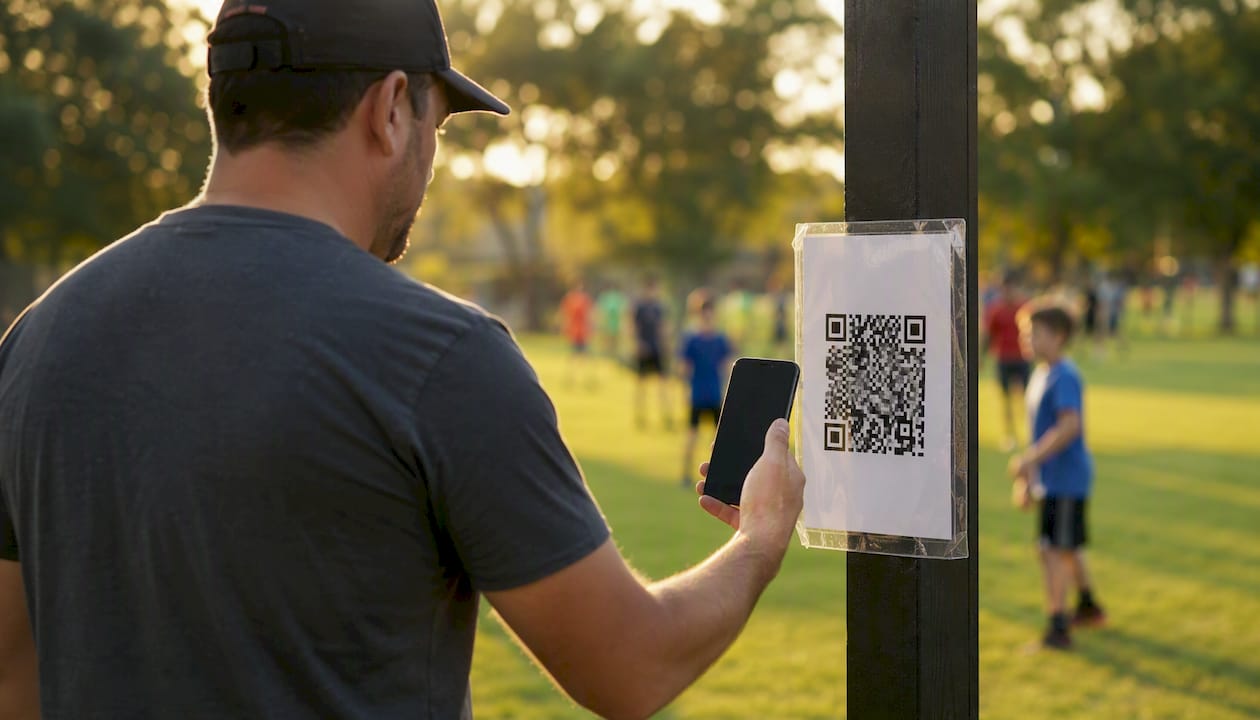
The mechanics are simpler than most people expect. A QR code is just a shortcut to a URL. Scan it, and your phone's camera opens a browser page tied to a specific session or form. Enter a name or ID, hit submit, and the server logs the timestamp along with whatever fields you asked for. No app store, no download, no waiting for a "please allow notifications" popup. That browser-based flow is exactly why QR code attendance without an app has become the standard approach across schools and events.
There are two ways to structure the code itself:
- Per-session QR codes — a new code for every meeting or event, useful when you want tight control over exactly who could have checked in and when.
- Persistent room or session codes — one code that stays live for weeks or a full semester, which cuts admin work for anything recurring, like a daily practice or a weekly class.
Beyond the basic scan-and-submit flow, you can layer in check-out scans for duration tracking, photo or signature capture for verification, kiosk-style tablets at the entry point, or a saved "passport" QR for repeat attendees so regulars scan even faster.
Pro Tip: If your sessions repeat more than twice, skip the per-session code entirely. Print one persistent QR, laminate it, and stop reprinting paper every week — it saves more admin time than any other single change you can make.
How Do You Set Up QR Attendance Tracking in Minutes?
You don't need a developer or a procurement process. Here's the build order that avoids the most common rollout mistakes:
- Decide your minimal fields. Name or ID is usually enough. Only add check-out, photo capture, or extra questions if you have a specific reason.
- Pick dynamic vs. static. A persistent room QR fits daily classes; a per-session QR fits one-off events or ticketed sessions where you want a fresh code each time.
- Build the form. A free Google Form or a browser-based attendance platform both work. Google Forms is fine for a small class; you'll want a dedicated platform once you need real-time dashboards.
- Generate the QR and test it. Scan it on an iPhone, an Android, and whatever ancient work phone someone on your team still carries.
- Set a check-in window, so scans only count between, say, 8:55 and 9:10 a.m.
- Run a live session and export a sample CSV before you trust the system with a real roster.
Before you go live, double-check:
- Every device you tested actually loaded the form (not just the QR scan itself)
- The exported file has correct timestamps, not just names
- Wi-Fi or cell signal at the actual location holds up, not just at your desk
Testing across device types and weak-signal spots before the first real session catches problems while they're still cheap to fix.
Which Setup Fits Classrooms, Events, or Workplaces?
The same core system flexes depending on who's using it and why.
- Classrooms: Use a persistent room QR for the whole term, export attendance directly into your gradebook, and enforce a check-in window so late arrivals get flagged instead of counted as on-time.
- Events and ticketed sessions: A one-off session QR, or a QR ticket tied to registration, works better than a room code because you often need to revoke or reissue individual passes.
- Workplaces and shifts: Require check-out for accurate payroll hours, add kiosk supervision at high-traffic entry points, and lean on offline-first devices for remote job sites with patchy connectivity.
- Sports organizers: Pair QR ticketing with roster sync and a parent view whenever money changes hands, since attendance and payment reconciliation need to line up.
Some platforms also bolt on live polling or quizzes alongside check-in, which is worth considering for training sessions where you want to measure comprehension, not just presence.
What Features Should You Pay For, and What Can Wait?
Most QR attendance tools follow the same free-to-paid curve, so knowing where the line sits saves you from either overpaying early or hitting a wall later.
You can expect basic features like QR code generation and CSV export for free in many tools:
- QR code generation and browser-based check-in
- CSV export and a basic live attendee list
- A limited number of sessions or attendees may be capped in free tiers
Expect to pay once you need:
- Real-time dashboards instead of after-the-fact exports
- Buddy-punch prevention or IP and device heuristics that flag suspicious scans
- Photo verification at check-in
- Custom branding and team-level admin controls
As you scale, weigh a few trade-offs before committing to a platform: offline-first capability matters if your gym, field, or classroom has weak Wi-Fi, multi-device sync matters if you've got more than one entry point, and data retention policies matter the moment you're handling student or minor data under FERPA. Free tools reliably cover CSV export and basic lists, but kiosk mode, photo verification, and granular admin controls are almost always gated behind a paid tier.
What Pitfalls and Privacy Risks Should You Watch For?
The single biggest mistake is asking for too much at check-in. Every extra field you require is a reason for someone to hesitate, mistype, or skip the scan entirely. Keep it to a name or ID unless you have a real reason to ask for more.
Fraud is the second concern, and it's manageable:
- Set tight check-in windows so a code scanned an hour early or late gets rejected
- Require check-out for anything tied to payroll or duration billing
- Use single-use passes for ticketed events instead of one shared code
- Add kiosk supervision or photo capture where buddy-punching is a real risk
On privacy, collect the minimum data you need, encrypt exported files before sharing them, set a retention window instead of keeping records forever, and limit who can actually pull reports. Schools handling student attendance need to keep FERPA in mind specifically, since attendance records tied to a student ID can count as protected education records.
Pro Tip: Set your retention rule before your first export, not after. It's much easier to delete on a schedule than to remember, six months later, that you're sitting on a spreadsheet full of minors' names.

How Does Athlo Handle QR Attendance for Sports Organizers?
Athlo supports QR-ticketed events and LinkUp pickup-game check-ins, both tied to payments and session rosters. If you're running youth or high school sports and need ticketing plus attendance and payment reconciliation in one place, this is the exact situation the app is built for.
- Sell or issue a QR ticket for a game or event
- Scan attendees in at the door, tied to the roster
- Reconcile who paid, who showed, and who's still owed a refund, without juggling three spreadsheets
Try it for your next local game at Athloapp.
Author perspective: what actually happens in week one
Week one, you're checking completion rate and export accuracy, nothing else. Month one, you'll adjust fields and check-in windows based on real no-show and late-scan patterns. After that, watch three numbers: check-in rate, average check-in time, and export integrity.
— Abdulazeez
Try Athlo for Your Next Game Day
Athlo works as a genuinely useful option here, not just an app that happens to have a QR feature bolted on. Between QR ticketing, LinkUp pickup-game check-ins, and in-app payments, you get attendance and money reconciliation handled in the same flow instead of stitched together from a spreadsheet and a Venmo history.
If you're a coach charging for a training session, an organizer running a weekend tournament, or just the parent who ends up managing the group chat for pickup games, this is built for exactly that job. Skip the manual roster-chasing and let the QR ticket do the accounting for you. Download Athlo from the App Store or Google Play , and test a QR ticket on your next local game.
Sources
- QR Code Attendance — AttendPad
- QR code attendance tracking for businesses and classrooms — Jotform
- How to Use QR Codes for Attendance Tracking — FieldDrive
- QR Code Attendance – Track Attendance & Live Polling
FAQ
Can I Use a QR Code to Track Attendance?
Yes. A QR code linked to a check-in form gives you timestamped, exportable attendance records without requiring an app install on any device.
Is There a Free Attendance Tracker That Uses a QR Code?
Yes, Google Forms can generate a working QR check-in at no cost, though it lacks real-time dashboards and anti-fraud features found in paid platforms.
How Do You Scan a QR Code for Attendance?
Open your phone's camera, point it at the code, and tap the link that appears. It opens a browser check-in form where you enter your name or ID and submit.
What Is QR Tracking?
QR tracking means using a scannable code to log an event, like a check-in, a payment, or a ticket scan, and recording the time and details automatically instead of by hand. For sports events, Athlo uses this same principle to tie QR ticket scans to rosters and payments.